
3.5 KiB
Informative git prompt for bash and fish
This prompt is a port of the "Informative git prompt for zsh" which you can find here
A bash prompt that displays information about the current git repository.
In particular the branch name, difference with remote branch, number of files
staged, changed, etc.
(an original idea from this blog post).
gitstatus.sh and git-prompt-help.sh added by AKS.
Examples
The prompt may look like the following:
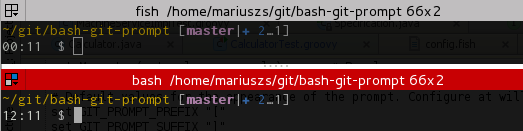
(master↑3|✚1): on branchmaster, ahead of remote by 3 commits, 1 file changed but not staged(status|●2): on branchstatus, 2 files staged(master|✚7…): on branchmaster, 7 files changed, some files untracked(master|✖2✚3): on branchmaster, 2 conflicts, 3 files changed(master|⚑2): on branchmaster, 2 stash entries(experimental↓2↑3|✔): on branchexperimental; your branch has diverged by 3 commits, remote by 2 commits; the repository is otherwise clean(:70c2952|✔): not on any branch; parent commit has hash70c2952; the repository is otherwise clean
Prompt Structure
By default, the general appearance of the prompt is::
(<branch> <branch tracking>|<local status>)
The symbols are as follows:
- Local Status Symbols
✔: repository clean●n: there arenstaged files✖n: there arenunmerged files✚n: there arenchanged but unstaged files…n: there arenuntracked files⚑n: there arenstash entries
- Branch Tracking Symbols
↑n: ahead of remote byncommits↓n: behind remote byncommits↓m↑n: branches diverged, other bymcommits, yours byncommits
- Branch Symbol:
When the branch name starts with a colon:, it means it's actually a hash, not a branch (although it should be pretty clear, unless you name your branches like hashes :-)
Install
-
Clone this repository to your home directory.
git clone https://github.com/magicmonty/bash-git-prompt.git .bash-git-prompt
-
Source the file
gitprompt.shfrom~/.bashrc -
cdto a git repository and test it!
Configuration
-
You can define
GIT_PROMPT_STARTandGIT_PROMPT_ENDto tweak your prompt. -
The default colors are defined within
prompt-colors.sh, which is sourced bygitprompt.sh. The colors used for various git status are defined ingit-prompt-colors.sh. Both of these files may be overridden by copying them to $HOME with a.prefix. They can also be placed in$HOME/libwithout the leading.. The defaults are the original files in the~/.bash-git-promptdirectory. -
The current git repo information is obtained by the script
gitstatus.shorgitstatus.py. Both scripts do the same thing, but the bash script is a tad more quick, and is used by default. If you prefer the python script (possibly because you have enhanced it), simply delete or change the name ofgitstatus.sh. -
You can define
prompt_callbackfunction to tweak your prompt dynamically.
function prompt_callback {
    if [ `jobs | wc -l` -ne 0 ]; then
        echo -n " jobs:\j"
    fi
}
- You can get help on the git prompt with the function
git_prompt_help. Examples are available withgit_prompt_examples.
Enjoy!